


Complete solutions to run your business.
Money transfers, SADAD bills, receiving payments, managing POS terminals and embedded banking services, in one platform to run your business's money.
Accept many ways to pay.
Take payments on POS terminals or with SoftPOS on your phone, and every sale is recorded in your dashboard instantly.
A POS terminal for every payment.
A handheld POS terminal for mada, credit cards and phone payments, with printed receipts and easy tracking of every sale. Order it on the platform and it arrives ready to take your customers' payments.
Self-service kiosk.
Customers browse products, choose their order and pay on one screen. It shortens the wait and takes pressure off the cashier, and sales settle into your business wallet.
One place to manage all your money and business.
Run your business's money clearly, see the fee and VAT before you confirm any operation, and move your balance to your registered bank account.
- FundAdd funds to your wallet by bank transfer to your IBAN or by card top-up, and receive your terminal sales in it.
- MoveSend money to businesses registered on the platform using their unified number.
- SettleMove your available balance from the wallet to your registered bank account.
Complete solutions to sell, get paid and run your business.
POS terminals, cashier systems, kiosks and the business wallet: connected solutions that make your sales, payments and finances easier.
POS terminals
Android terminals for mada, Visa, Mastercard and phone payments, delivered ready to sell and tracked from the portal.


SoftPOS
Turns your phone into a payment terminal that takes cards and digital wallets, with no extra device needed.
Cloud cashier system
Products, stock, branches and reports.
Manage moneyA wallet and an IBAN in your name
Receive bank transfers, and card sales settle into the same wallet.
Business transfers
Pay a supplier by unified number.
Self-service kiosks
Customers browse products, choose their order and pay on one screen.
Team and approvals
Clear finance roles and two-person approval for large payments.
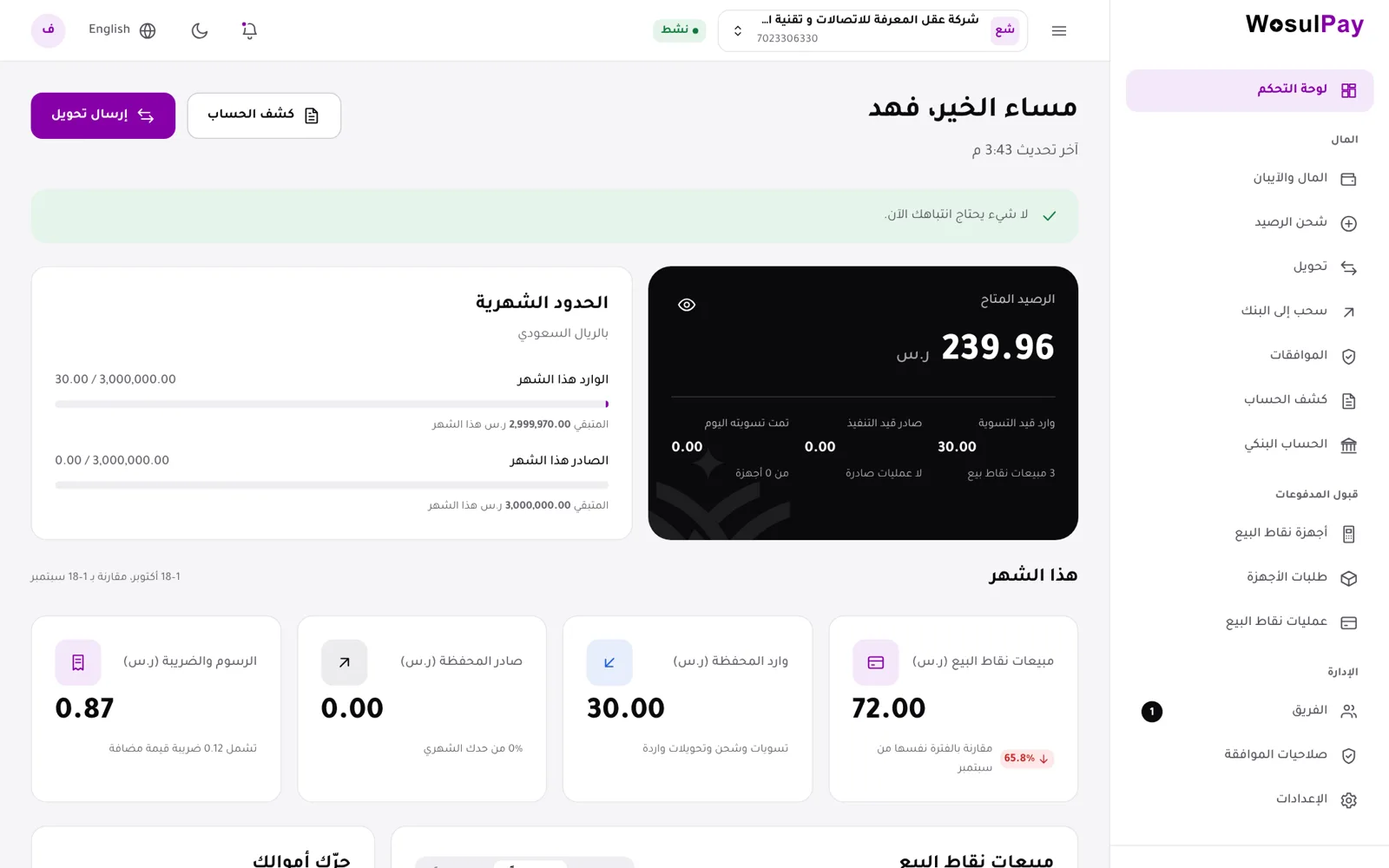
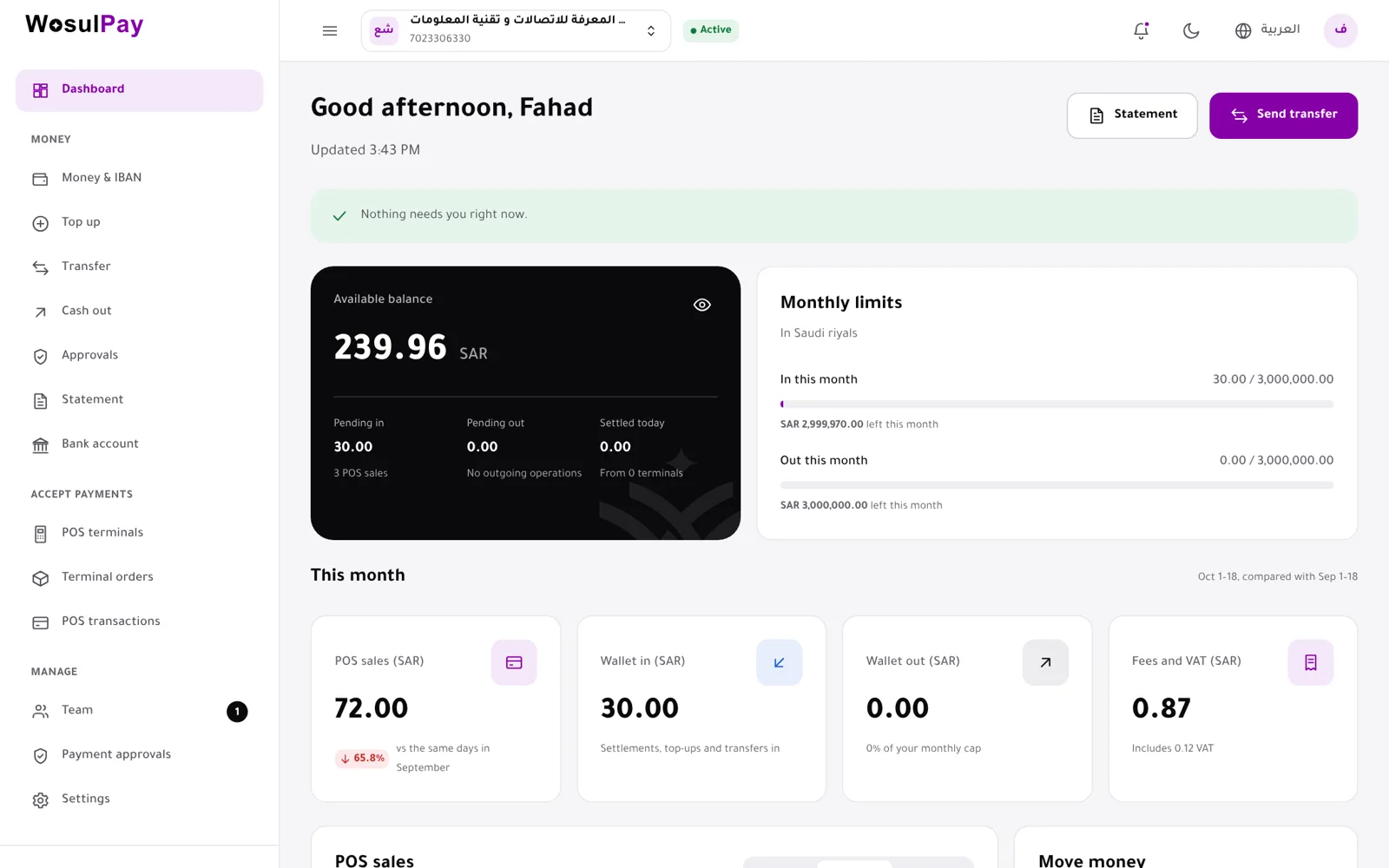
Simple design. Strong performance.
Whatever your sector, Wosul keeps up with your business.
From a single shop to a chain of branches, Wosul serves small and medium businesses and stores across the Kingdom.
Restaurants
Orders, tables and payments on one device.
See the business caseCafés
Shorter queues and self-order kiosks.
See the business caseFood trucks
A handheld terminal or SoftPOS wherever you park.
See the business caseRetail stores
Stock, branches and sales in one dashboard.
See the business caseGroceries and supermarkets
A fast checkout that takes every card.
See the business caseSalons and beauty
Get paid for every service with a tap.
See the business casePharmacies
Organised sales and daily settlement to your wallet.
See the business caseServices and freelancers
SoftPOS on your phone, no extra hardware.
See the business caseYour money is protected at every step.
Licensed by the Saudi Central Bank
Wallet and payment services operate under SAMA supervision.
A fixed cash-out destination
Cash-outs only ever reach your registered bank account.
Two-person approval
Large payments wait for a second person to decide.
Device control
See every signed-in device and control its access.
Right in front of you.
See the fee and VAT before you confirm any operation.
See plans and pricingWhat are Wosul's solutions, and how do they help me run my business?
Wosul is one platform for selling, getting paid and managing money: the cloud cashier system, POS terminals and SoftPOS, self-service kiosks, table ordering, e-invoicing and the WosulPay business wallet with an IBAN in your business's name. You sell, get paid and follow your money in one place.
What is the difference between a POS terminal and the cashier system?
The POS terminal is the device that takes cards and phone payments and prints the receipt. The cashier system is the cloud software where you manage products, orders, stock, branches and reports. Use them together or on their own.
How do I choose the right solution for my business?
Start from your sector's page to see what fits it best, or contact our team and we will suggest the plan that suits your size, branches and way of selling.
Can I use the cashier system on my current device?
Yes, if your device is compatible. You can get the device and the system together, or connect the system to your current compatible device.
Can I take payments on my phone without an extra device?
Yes. SoftPOS turns a compatible Android phone into a payment terminal that takes cards and digital wallets with a tap.
Which payment methods does Wosul support?
mada, Visa, Mastercard, Apple Pay and other digital wallets, on POS terminals, SoftPOS and kiosks.
Can I manage several branches from one account?
Yes. You run every branch, its devices and its stock from one account and compare them in your dashboard.
Can I follow sales and stock remotely?
Yes. The dashboard is in the cloud, so you follow sales and stock as they happen from your phone or computer, wherever you are.
Can Wosul connect to the system I already use?
In most cases, yes, by connecting to accounting and other systems. Contact our team so we can check your system and how to connect it.
Does e-invoicing meet the second phase requirements?
Yes. A tax invoice with a QR code is issued automatically with every sale, following ZATCA's second phase (integration) requirements.
What do I need to open a business wallet? Is a freelance document accepted?
You need your business's unified number, a valid commercial registration and the owner's identity check through Nafath. If you work with a freelance document, contact our team to confirm whether you can open a wallet and what is needed.
When do POS terminal sales settle into my wallet?
Your terminal sales settle into your wallet automatically after fees, and every sale shows its settlement date and net in your dashboard.
How do I move my balance to my bank account?
In the wallet choose Settle, enter the amount, check the fee and confirm. The money only goes to your registered bank account.
Is there a set-up fee?
Every fee is shown clearly before you subscribe and depends on the solution and plan. Contact our team for the fees of the plan that suits you.
How do I order a device, and how long do delivery and activation take?
Order the device on the platform and follow your order until it arrives ready to sell. Delivery time depends on your city and is shown when you order.
How do I reach support if something goes wrong?
Call us on 920033225, or send a request from the Contact us page with the operation or device number, and we will get back to you.
Complete solutions to run your business.
Open your business account today, or talk to our team on 920033225